





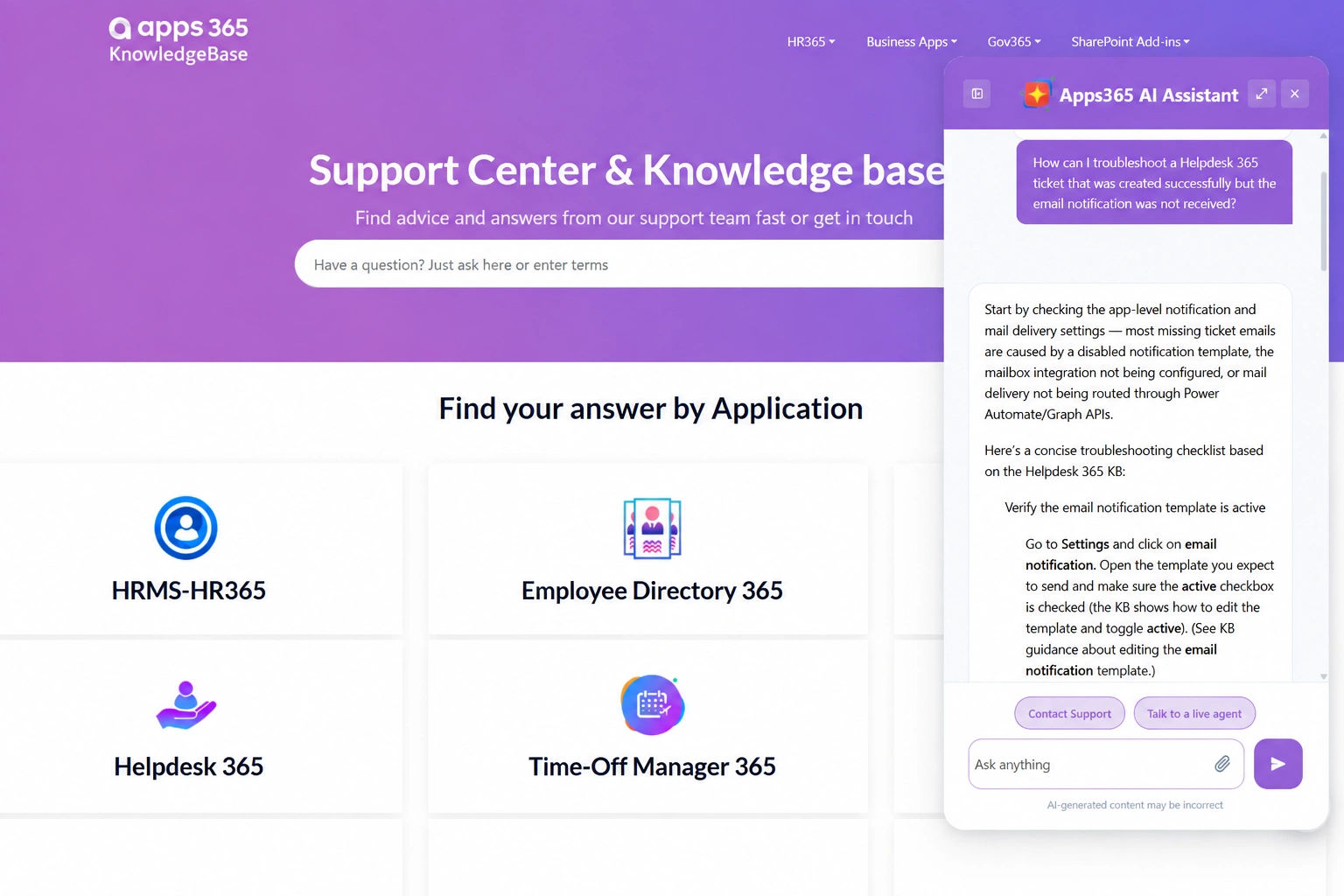






The answers already live in your guides, FAQs, help articles and policies. Visitors just struggle to reach them. The AI Knowledgebase Agent lives on your website or custom tool, replies in everyday language, and points to the exact source behind each reply.
Fast replies with linked sources
Works inside any site, portal or web tool
Learns from your own pages, guides & FAQs
Highlights stale and absent content
Links each reply to the precise article, page, or section
Draws on your website, help center, FAQs, PDFs & guides
Runs on any website, intranet, client portal or web tool
Catches stale & contradictory content quickly
Records what visitors can’t find, so you know what to write next
Visitors type questions the way they’d speak to someone. They receive an accurate reply within seconds, not a page of results to sort through.
Each reply points back to the original page or article, so readers can check, trust, and explore further.
Drop the agent into your help center, website, custom web tool, or customer portal using one short code snippet. It adapts to your brand, not the reverse.
Find pages that are stale, conflicting, or repeated. Page owners receive alerts before incorrect answers travel.
Find the questions your pages don’t cover yet. Use real visitor demand to plan your content.
Convert common questions and expert answers into draft help articles, prepared for approval and posting.
Swap the “search, scroll, quit, open a ticket” cycle for one reliable place to ask and get answers, directly on the page visitors are already viewing.
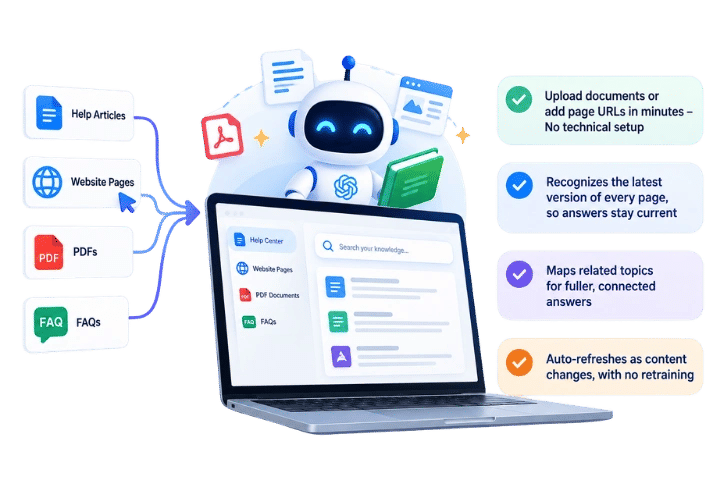
No new writing. Connect your pages, FAQs, PDFs, and help articles, and the agent absorbs them.
Add files or paste page links in minutes – No coding required
Detects the newest version of each page, so replies stay accurate
Links related topics for richer, complete answers
Updates automatically as pages change, without retraining
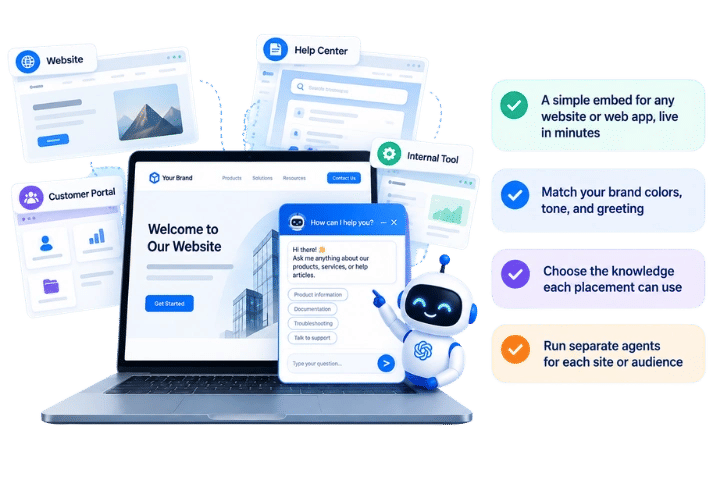
Add it to any site, portal, help center, or web tool your visitors already use.
One quick snippet for any site or web app, running in minutes
Set brand colors, voice, and welcome message
Pick which content each placement can access
Deploy different agents for every site or audience
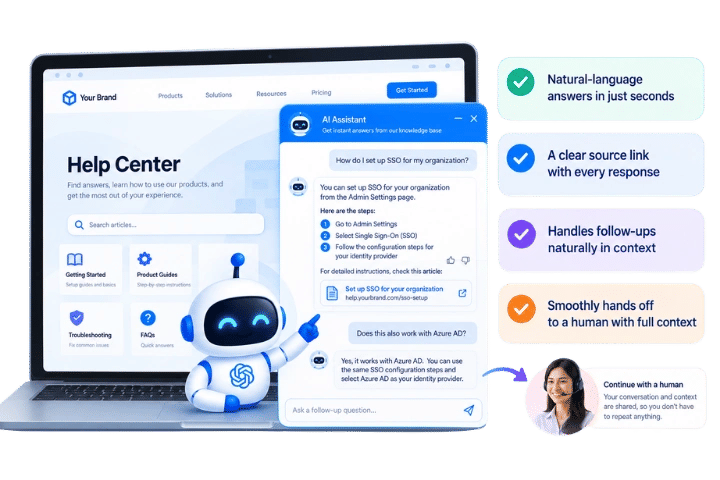
Visitors ask in their own words and get one accurate reply, backed by the exact source.
Understands questions in plain language, even with typos
Replies with sources visitors can open and check
Hands off to support or a live agent when needed
Keeps the conversation going with follow-up questions
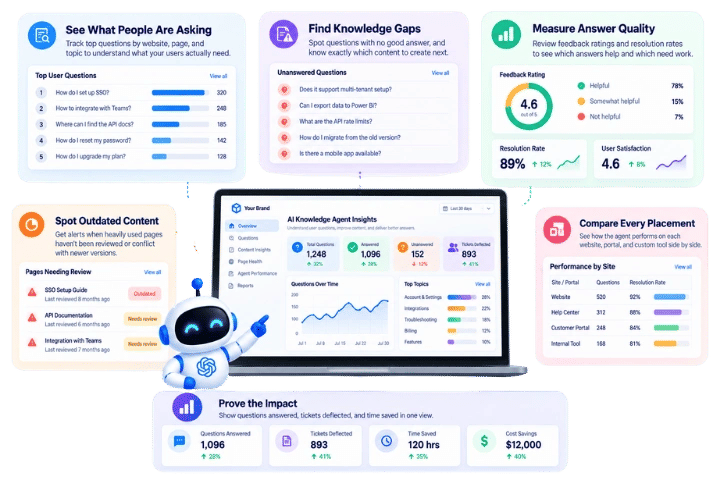
See what visitors ask, where answers fall short, and which pages need attention next.
Track top questions by site, page, and topic
Spot missing answers and outdated or conflicting pages
Review ratings to see which replies help most
Turn repeated questions into draft articles for review
No more clicking through menus and support pages. Visitors find the answer instantly and move right on.
The “where can I…” questions get resolved right away, so your support staff spends time on cases that need a person.

Buyers get pricing, feature, and product answers while still on your site, before they go elsewhere to compare.

Stale and contradictory content gets flagged quickly, so every site and tool shares one consistent, accurate answer.

Bring cited answers into the websites, portals, and tools visitors already use.

Place it on public websites, support centers, and portals, styled to match your brand perfectly.
Embed the agent inside dashboards, internal apps, and custom web tools.

Enterprise-level safeguards for your knowledge and every chat.

Decide which pages the agent reads, who manages them, and how replies are approved.
Choose which content each site or tool can access, so public users never reach private information.
Resolve common questions on your help center and website, and give reps quick answers during live conversations.

Learn what customers ask about every feature, and spot where guides or the product itself create friction.
Turn site visitors’ questions into replies that hold their attention and guide them toward a conversion.
Give customers answers inside your portal, so onboarding and adoption move faster.

Monitor popular questions by site, page, and topic to learn what your visitors really want.

Find questions without a solid answer, and see exactly which page to write next.
Check user ratings and resolution rates to learn which replies work and which need fixing.
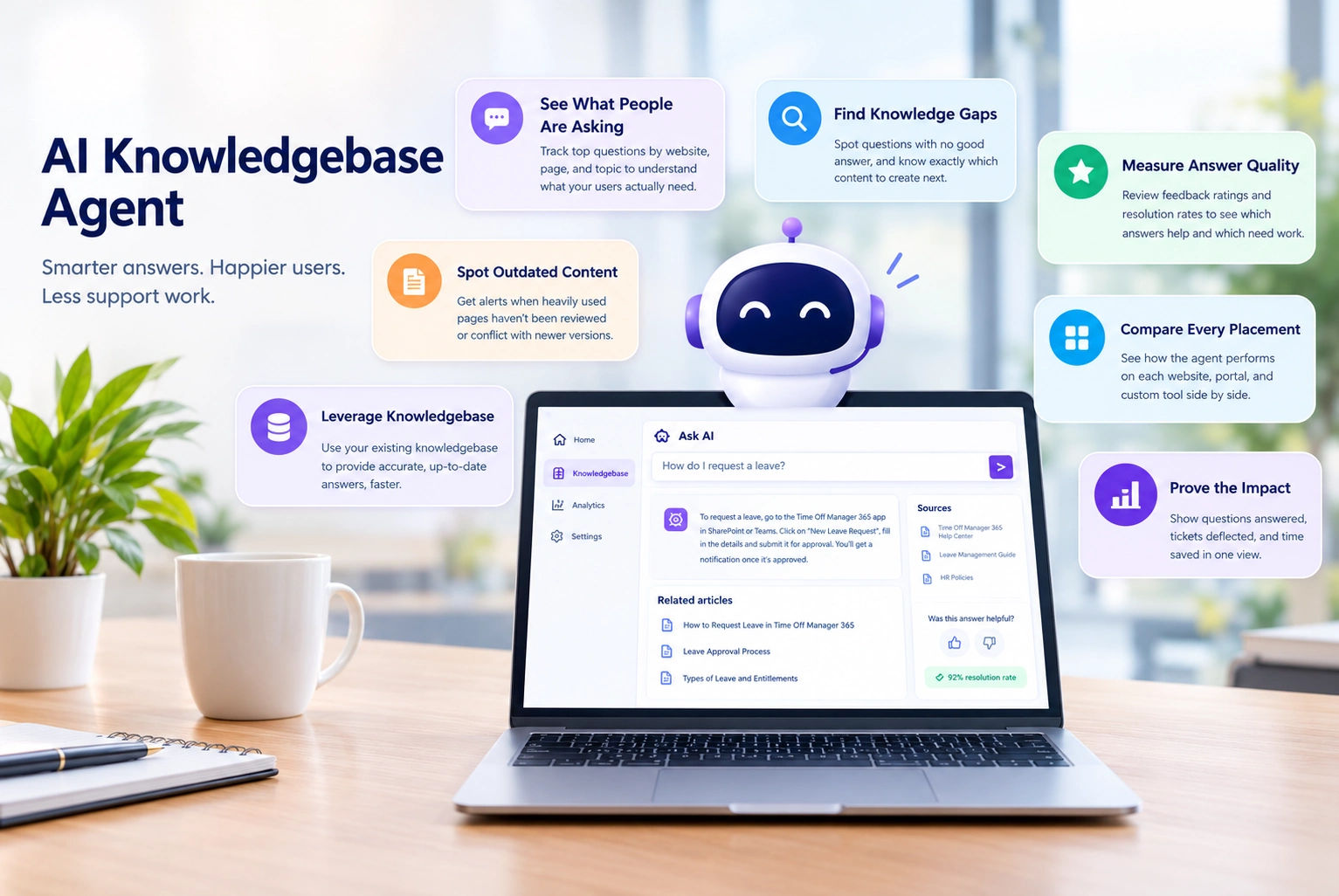
Receive alerts when popular pages haven’t been updated or clash with more recent versions.

View how the agent performs across every site, portal, and web tool in one comparison.

A search box shows a list of links and makes visitors do the digging. The agent digs through those pages for them and returns one clear, direct answer, plus its source.
Yes. Run one agent across your website, help center, customer portal and internal tools, each with its own look and its own approved content, all managed easily from a single place.
No. The agent works with the pages, PDFs, FAQs and help articles you already have. Connect them as they are, and it begins answering visitor questions from that content right away.
It says so instead of guessing, then offers a next step such as contacting support. The question is logged as a content gap, so your team knows what to write next.
It rechecks your connected pages automatically and picks up every edit, so replies always reflect the newest version. Stale or conflicting pages are flagged for their owners to review and fix.
No. You choose which content each website or tool can use. Public placements only ever draw on public pages, while internal knowledge stays strictly limited to the internal tools you approve.
See how our solution can help your team
save time and cut costs.


By proceeding, you accept Cubic Logics Terms and Conditions and Privacy Policy