Cubic Logics

HR365 HRMS: Your All-In-One HR Solution for Global Success
HR365 HRMS is the ultimate all-in-one platform designed to streamline HR processes

hrms

Now HR365 HRMS App is Available on Microsoft Teams

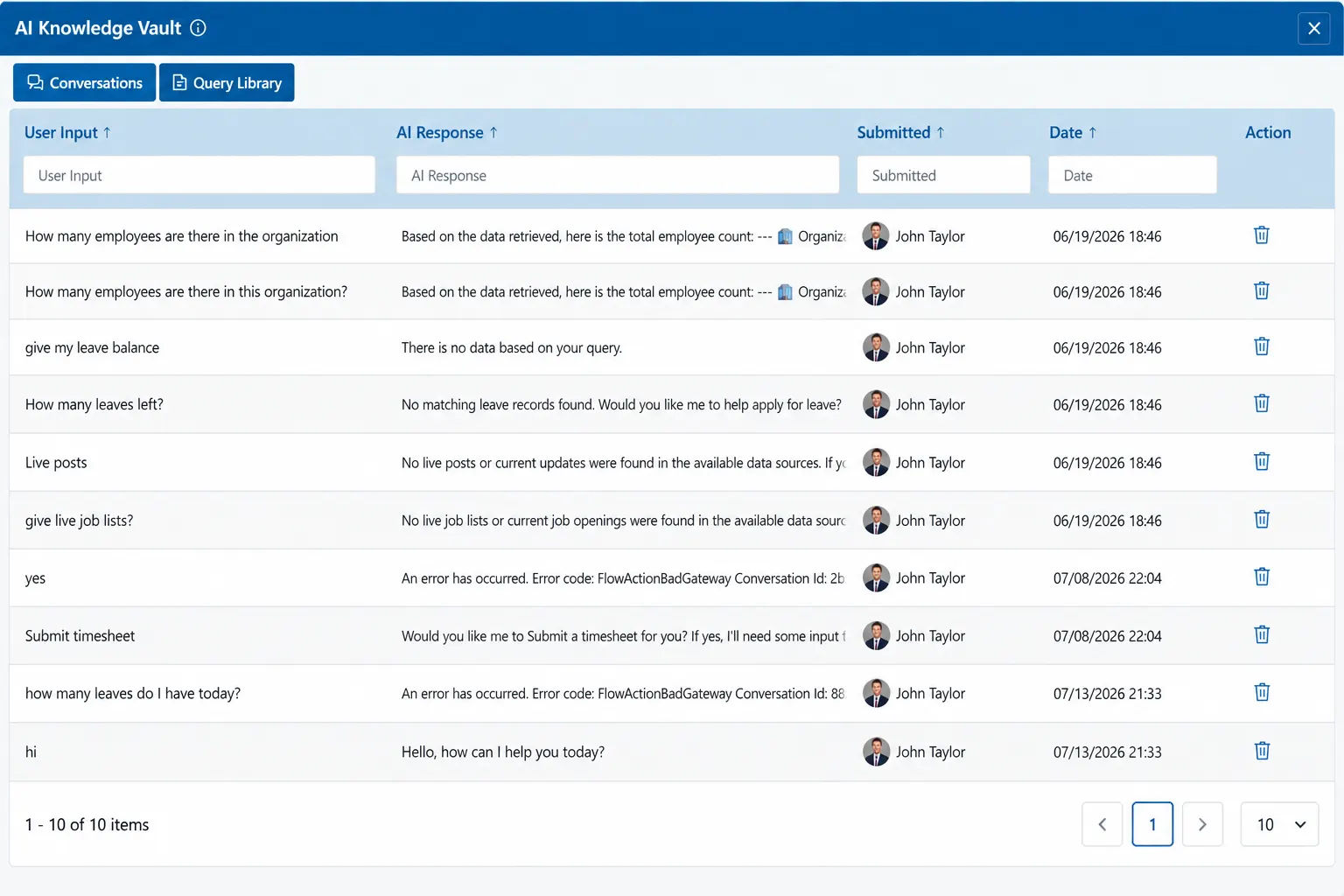
Turn HR Data into Instant Employee Answers

Give employees faster access to HR information with AI-powered responses based on your organization’s connected knowledge and workforce data.

Instant HR Answers: Respond quickly to employee questions using available HR data. 

Conversation History: Review past questions and AI responses in one place. 

Self-Service Support: Help employees find information without waiting for HR. 

Knowledge Insights: See common questions and identify information employees need. 

Centralized Queries: Keep employee requests organized for easier review and follow-up. 

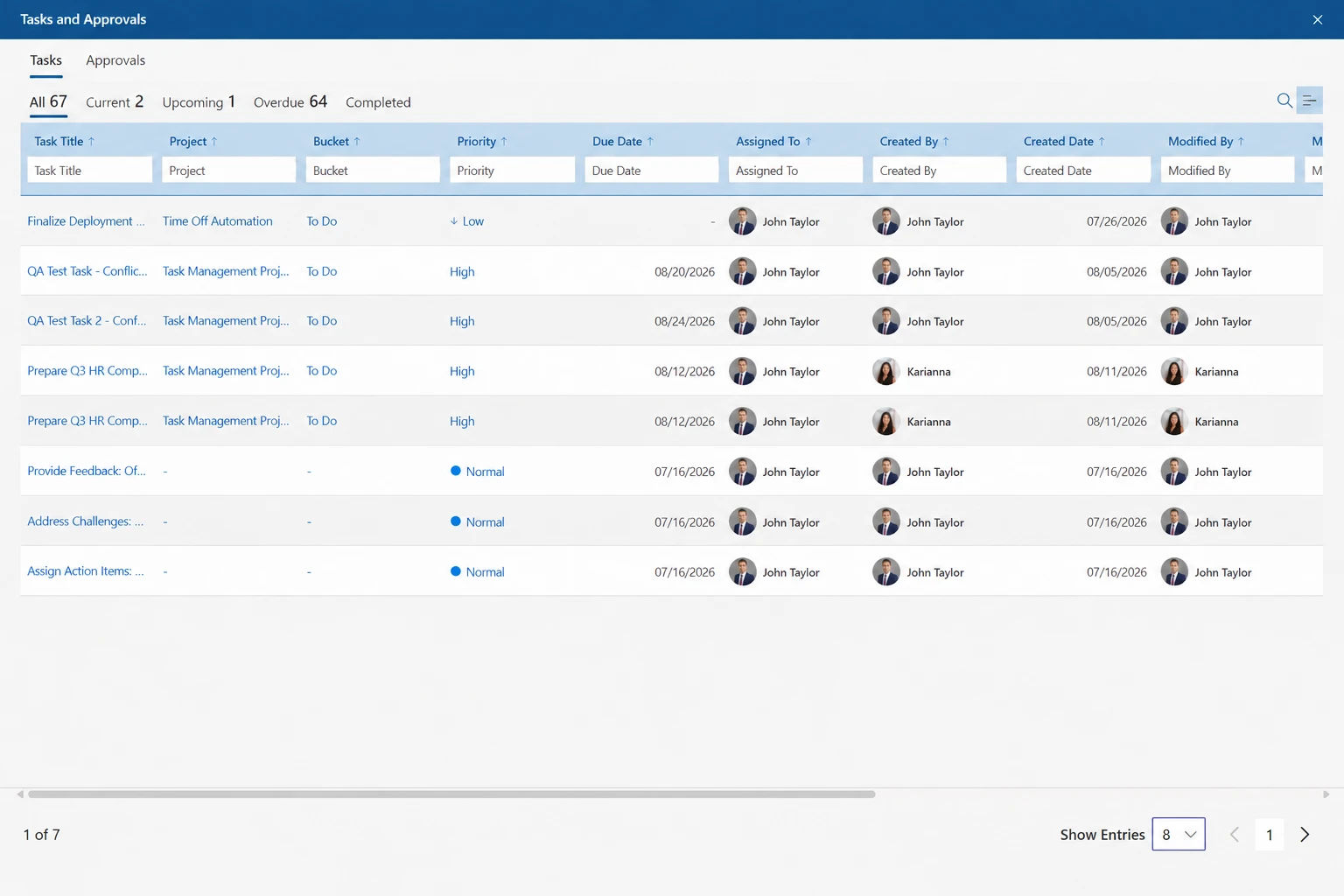
Keep HR Tasks and Approvals Moving

Organize HR tasks, ownership, priorities, and deadlines in one place so teams can stay on top of work and avoid missed follow-ups. 

Task Tracking: View current, upcoming, overdue, and completed tasks. 

Clear Ownership: Assign tasks to the right employee or HR team member.

Priority Management: Organize work by urgency and keep important tasks visible. 

Due Date Tracking: Monitor deadlines and reduce delays across HR processes. 

Approval Visibility: Manage pending approvals and keep workflows moving smoothly. 

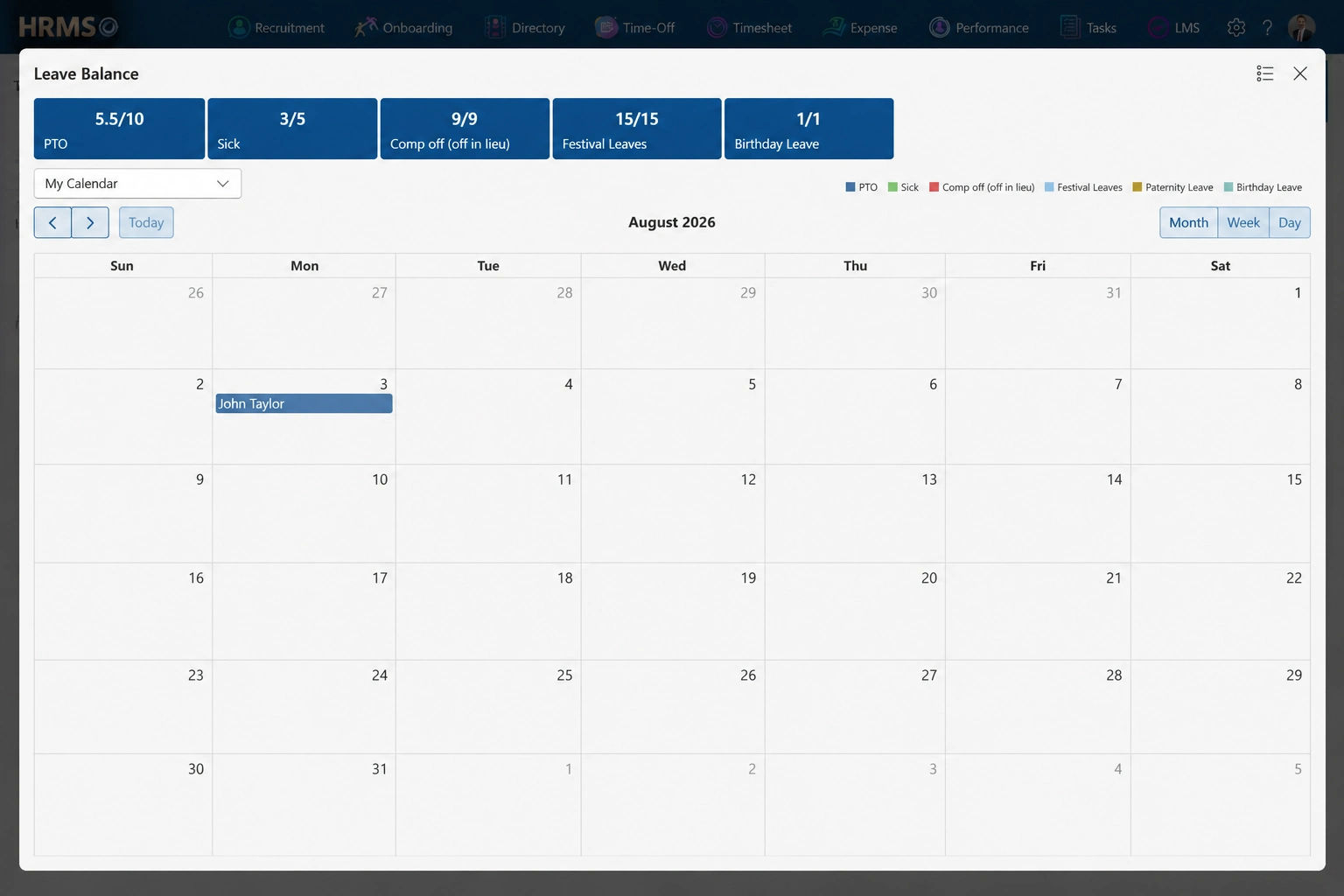
Make Leave Planning Simple and Visible

Give employees a clear view of leave balances, upcoming time off, public holidays, and calendar availability in one place.

Leave Balances: View available leave instantly. 

Calendar View: See planned time off. 

Leave Types: Track different leave categories. 

Public Holidays: View upcoming holidays easily. 

Flexible Views: Switch month, week, day. 

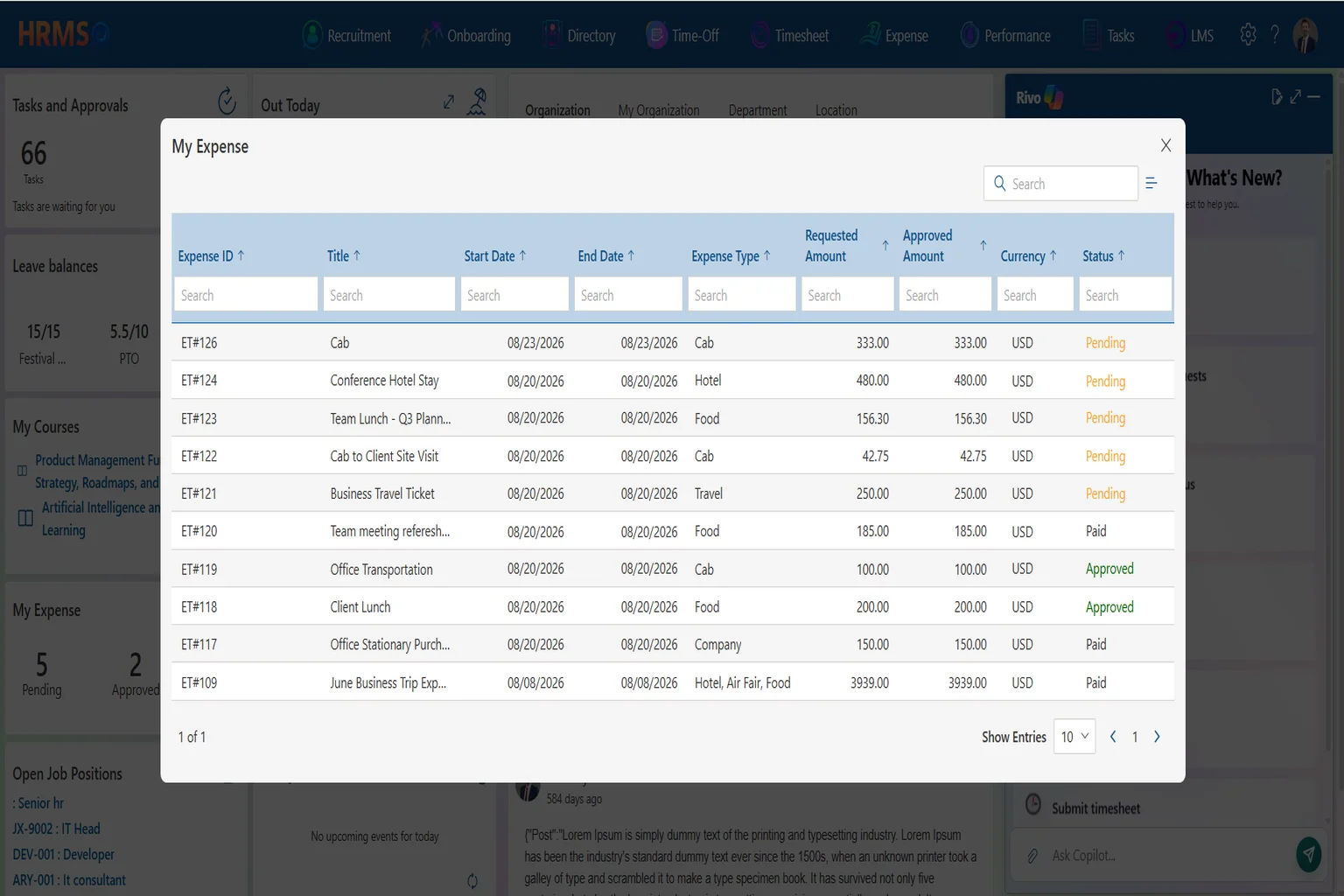
Track and Manage Employee Expenses

Manage employee expenses, approvals, reimbursements, and payment status in one place for faster and more accurate expense processing. 

Expense Tracking: View every submitted expense. 

Approval Status: Track pending and approved claims. 

Expense Categories: Organize travel, food, and more. 

Amount Visibility: Compare requested and approved amounts. 

Payment Tracking: Monitor paid and pending expenses. 

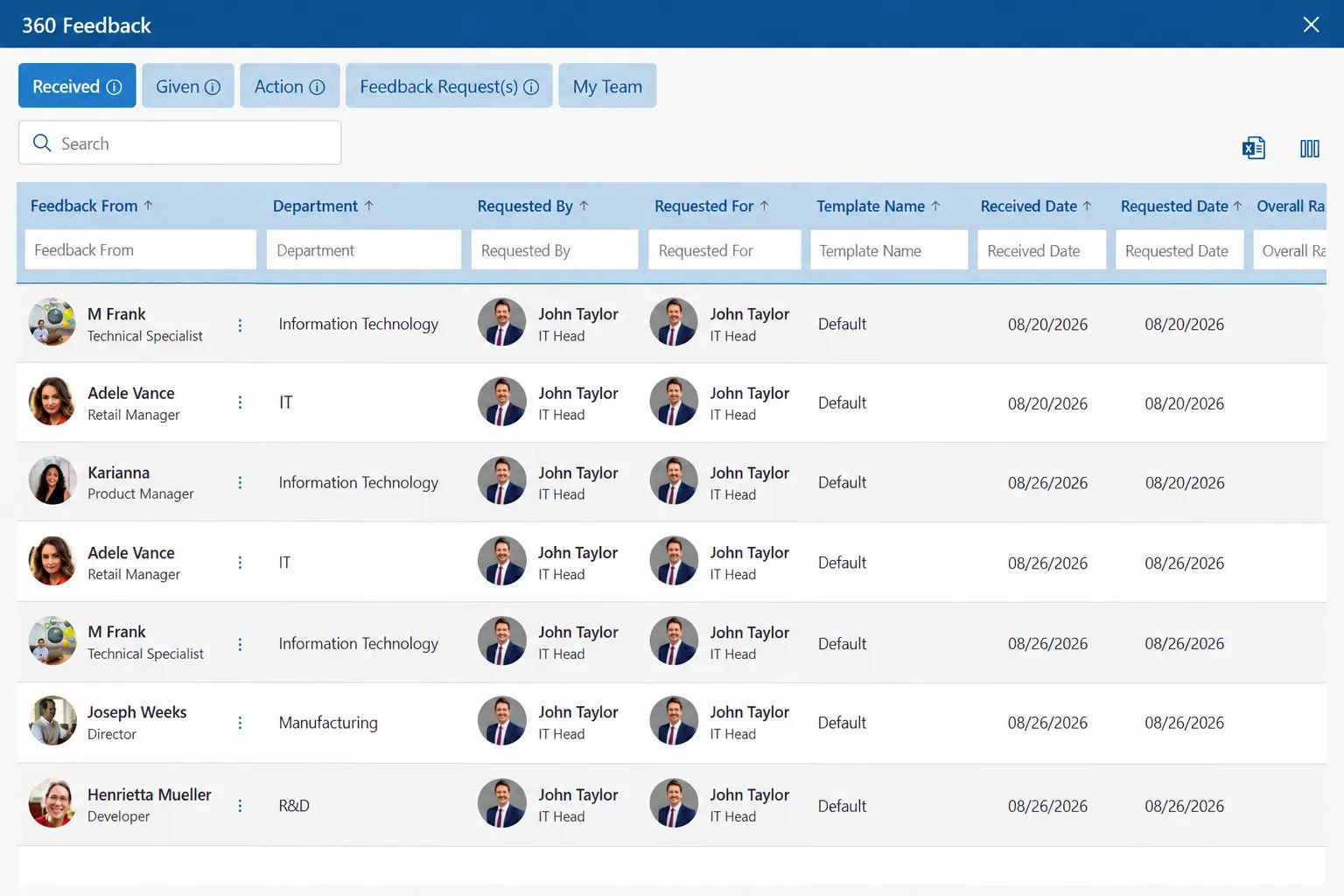
Build Better Performance with Feedback

Collect feedback from individuals, teams, managers, and employees to support stronger performance conversations and better workplace experiences.

Individual Feedback: Review personal performance feedback. 

Team Feedback: Understand feedback across your team. 

Manager Feedback: Share feedback about your manager. 

Company Feedback: Provide input about workplace experience. 

360° Feedback: Gather feedback from multiple perspectives. 

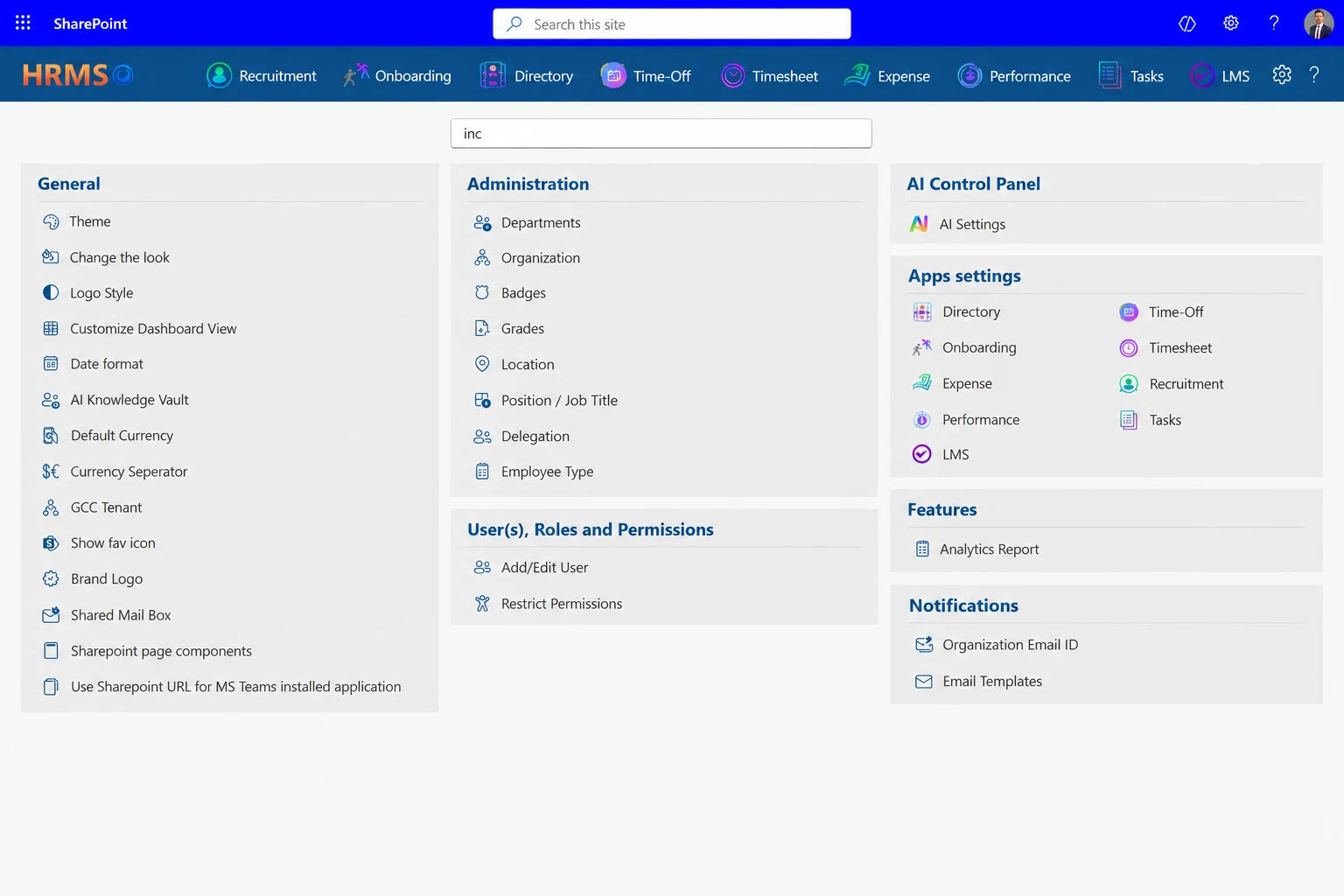
Manage Every HR Setting in One Place

Configure your HR environment to match your organization’s structure, policies, access needs, and everyday workflows from one centralized settings area.

App Settings: Configure all core HR modules. 

Roles & Permissions: Control access to HR data. 

Organization Setup: Manage departments, roles, and locations. 

AI Controls: Configure AI-powered HR experiences. 

Brand & Preferences: Customize branding and system preferences. 

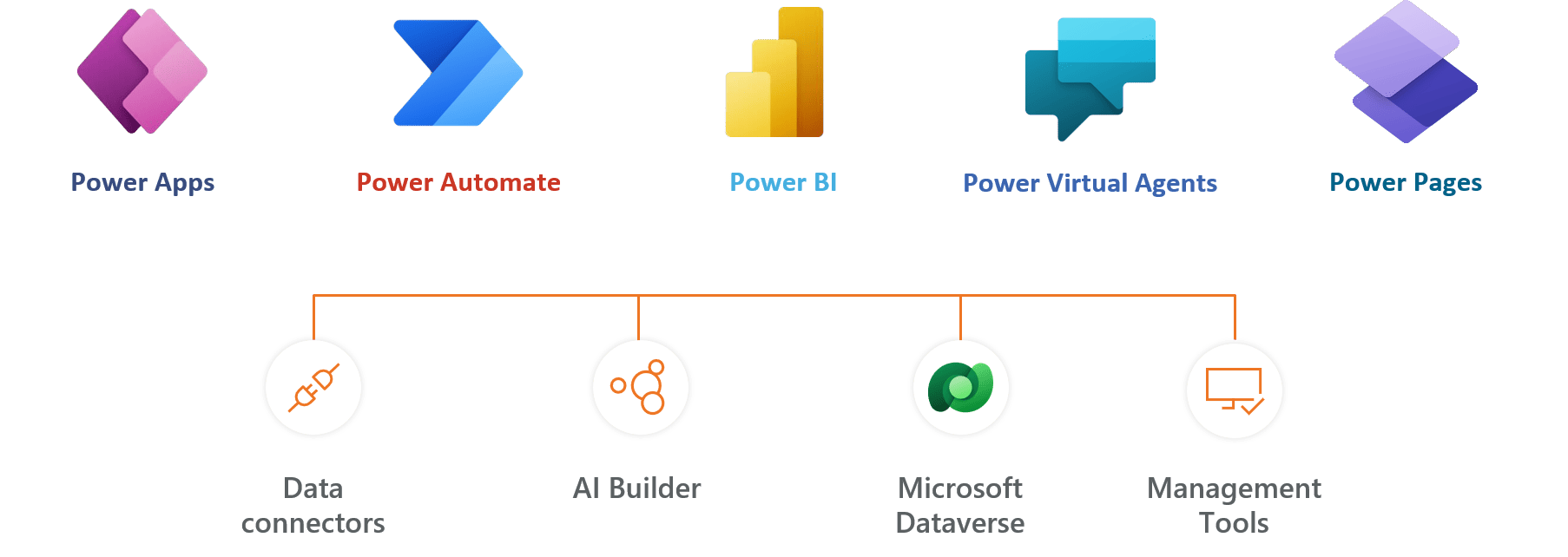
Connect HR365 HRMS with your other apps

Using Azure? now you can buy on Azure Marketplace or using your enterprise agreement​

Get started with 14 days risk free trial.

No credit card details required.

Some of Our Clients

Frequently Asked Questions

Employee Onboarding 365 (EO 365) enables a structured and automated onboarding experience. It includes configurable checklists, task assignments, document uploads, and role-based workflows that ensure every stakeholder completes their responsibilities on time. The system handles both pre-joining and post-joining tasks, offering HR, IT, and department heads a clear, centralized view of the entire process for smoother onboarding. 

Yes. Time Off Manager 365 (TM 365) allows organizations to create and manage multiple leave types, regional holiday calendars, and department-specific approval hierarchies. It supports custom accrual rules, carry-forward settings, and real-time balance tracking. Integration with Microsoft Teams and Outlook enables users to request and approve leave with minimal steps. 

Performance Management 365 (PM 365) offers a flexible performance evaluation framework, including self-assessments, manager reviews, goal tracking, and feedback loops. It allows you to set up flexible review cycles, apply weighted scoring, and create custom rating systems to fit your company’s unique evaluation needs. The solution promotes accountability and alignment between individual goals and organizational objectives. 

Employee Directory 365 (ED 365) provides a searchable, structured database of all employees, featuring their contact details, reporting lines, roles, departments, and locations. It includes an interactive organizational chart and department-wise filters. The directory is accessible through Microsoft Teams, SharePoint, and browser interfaces, with secure access control.


Yes. Timesheet 365 (TS 365) allows employees to log hours by project, task, or client. It includes configurable timesheet periods, daily or weekly entry modes, and approval workflows. The system supports reporting on utilization, billable hours, and employee workload. Automated notifications and reminders keep everything on track, ensuring submissions and approvals are completed on time without any delays. 

Expense Tracker 365 (ET 365) provides a centralized platform to manage employee expense claims. It supports receipt uploads, expense category tagging, policy enforcement, and multi-level approval routing. The system enables tracking of reimbursements and integrates with finance tools for smooth processing. Role-based access ensures visibility for finance and HR teams. 

Absolutely. All HR365 modules work seamlessly within Microsoft Teams, allowing your team to access and manage everything directly from their familiar workspace. Employees can perform actions such as applying for leave, completing onboarding tasks, logging time, viewing the directory, or submitting expense claims directly within the Teams interface. The solution also provides notifications, approvals, and chat-based interactions for convenience. 

Yes. HR365 follows a modular approach, allowing organizations to start with one or more modules and expand gradually. Each module works on its own but effortlessly connects with the other tools in the suite, creating a smooth and unified experience across the platform. This enables HR teams to prioritize based on current needs and scale up without disruption. 

All HR365 modules are designed to be configurable. Administrators can define workflows, modify form fields, set approval rules, assign roles, and localize policies without coding. This flexibility supports diverse organizational structures and regulatory requirements across industries and regions. 

Yes. Each HR365 module offers a 14-day free, no-obligation trial. Organizations can explore features, test configurations, and evaluate suitability before purchase. Extended trials and personalized demo sessions are also available upon request. 

Schedule a free
personalized 1:1 demo

See how our solution can help your team
save time and cut costs.

By proceeding, you accept Cubic Logics’s
terms and conditions and privacy policy
"Outstanding product that combines ease of use, robust security, and excellent value for money."
Try It Free, No Obligation
By proceeding, you accept Cubic Logics’s terms and conditions and privacy policy
"Exceptional tool that delivers seamless integration, powerful features, and unmatched reliability."

Let’s Customize a Plan for You

By proceeding, you accept Cubic Logics Terms and Conditions and Privacy Policy

NPO Price Request

By proceeding, you accept Cubic Logics Terms and Conditions and Privacy Policy

Don't Miss Out! Halloween Offer
Avail up to Flat 30% Discount until
November
06th, 2026.

Enter your business email ID and we will send a personalized coupon code straight to your inbox.

Request for the Custom price

By proceeding, you accept Cubic Logics Terms and Conditions and Privacy Policy

License Request Form

By proceeding, you accept Cubic Logics Terms and Conditions and Privacy Policy