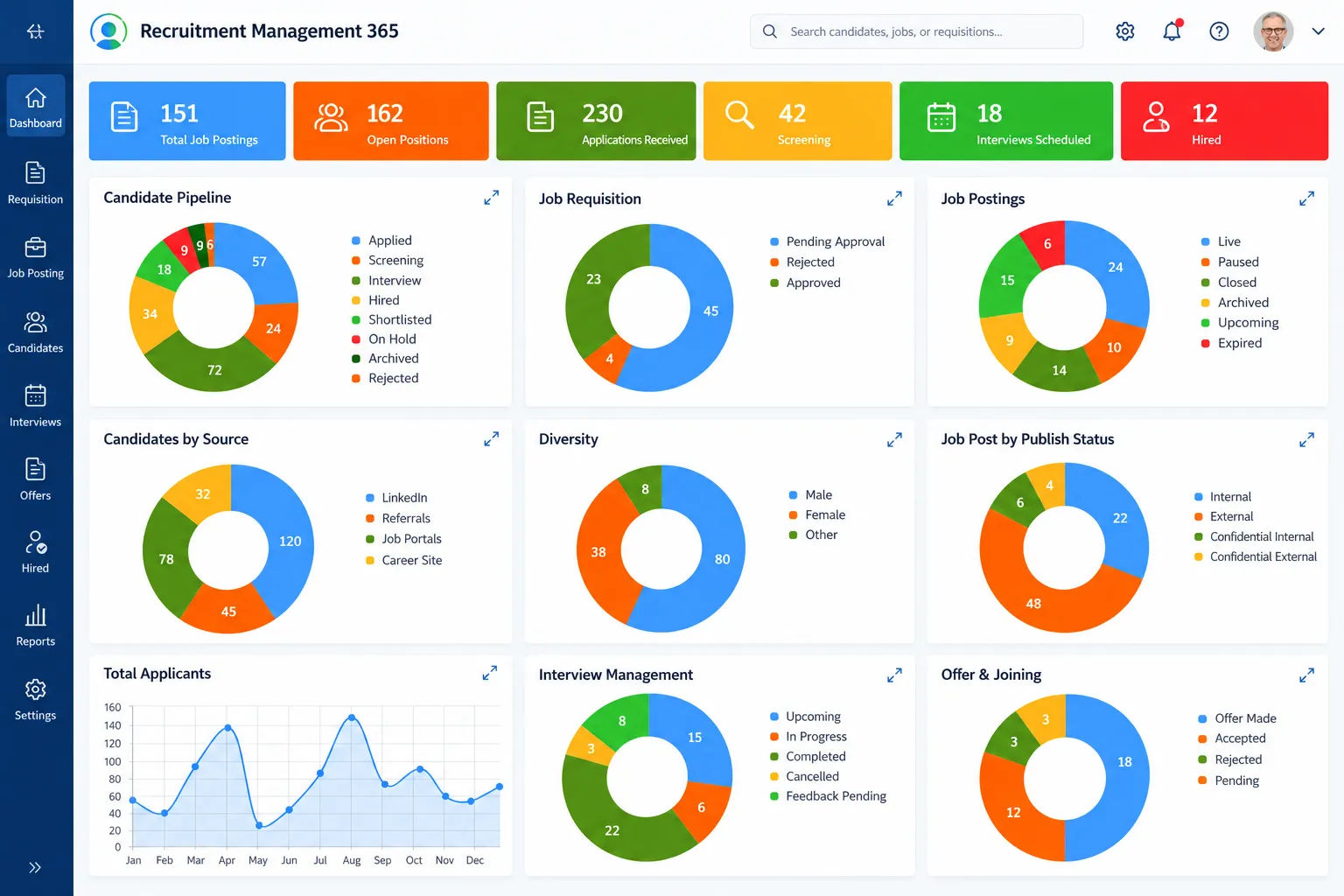
Turns recruitment data into clear insights on candidates, jobs, interviews, and hiring progress, helping HR teams make faster and informed decisions.
Candidate Pipeline: Track applicants across every stage of the hiring process.
Job Requisitions: Monitor pending, approved, and rejected hiring requests easily.
Candidate Sources: See where applicants come from across recruitment channels.
Interview Management: Track upcoming, ongoing, and completed candidate interviews.
Offer & Joining: Monitor offers, acceptance status, and joining progress.
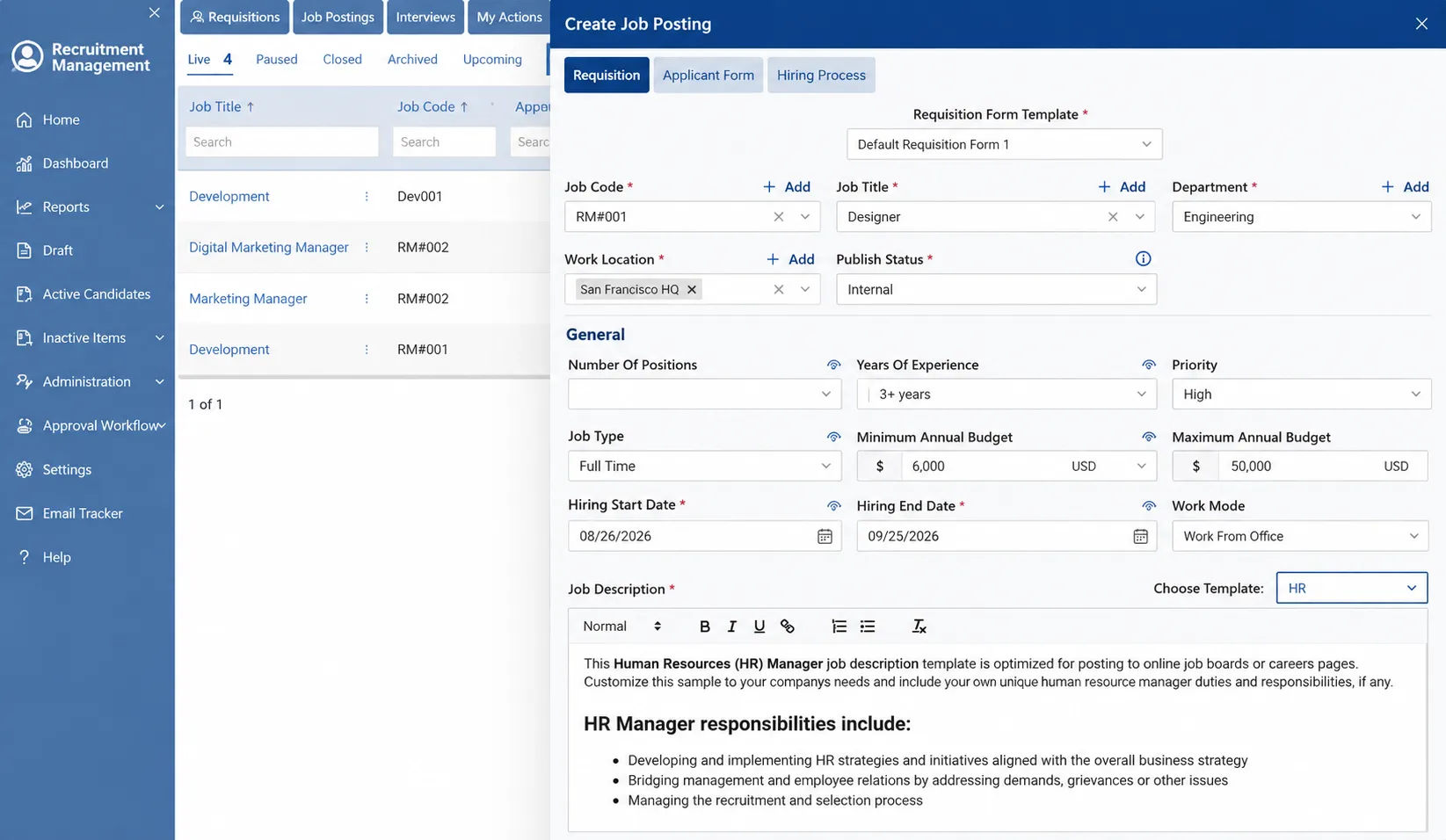
Create structured job openings with all the details your hiring team needs, from requisition information to role requirements and publishing settings.
Job Requisitions: Create roles with job codes, departments, and hiring details.
Position Details: Define openings, experience, priority, job type, and work mode.
Budget Planning: Set minimum and maximum salary ranges for each position.
Hiring Timeline: Add start and end dates to keep recruitment on schedule.
Job Descriptions: Build detailed role descriptions using ready-to-use templates.
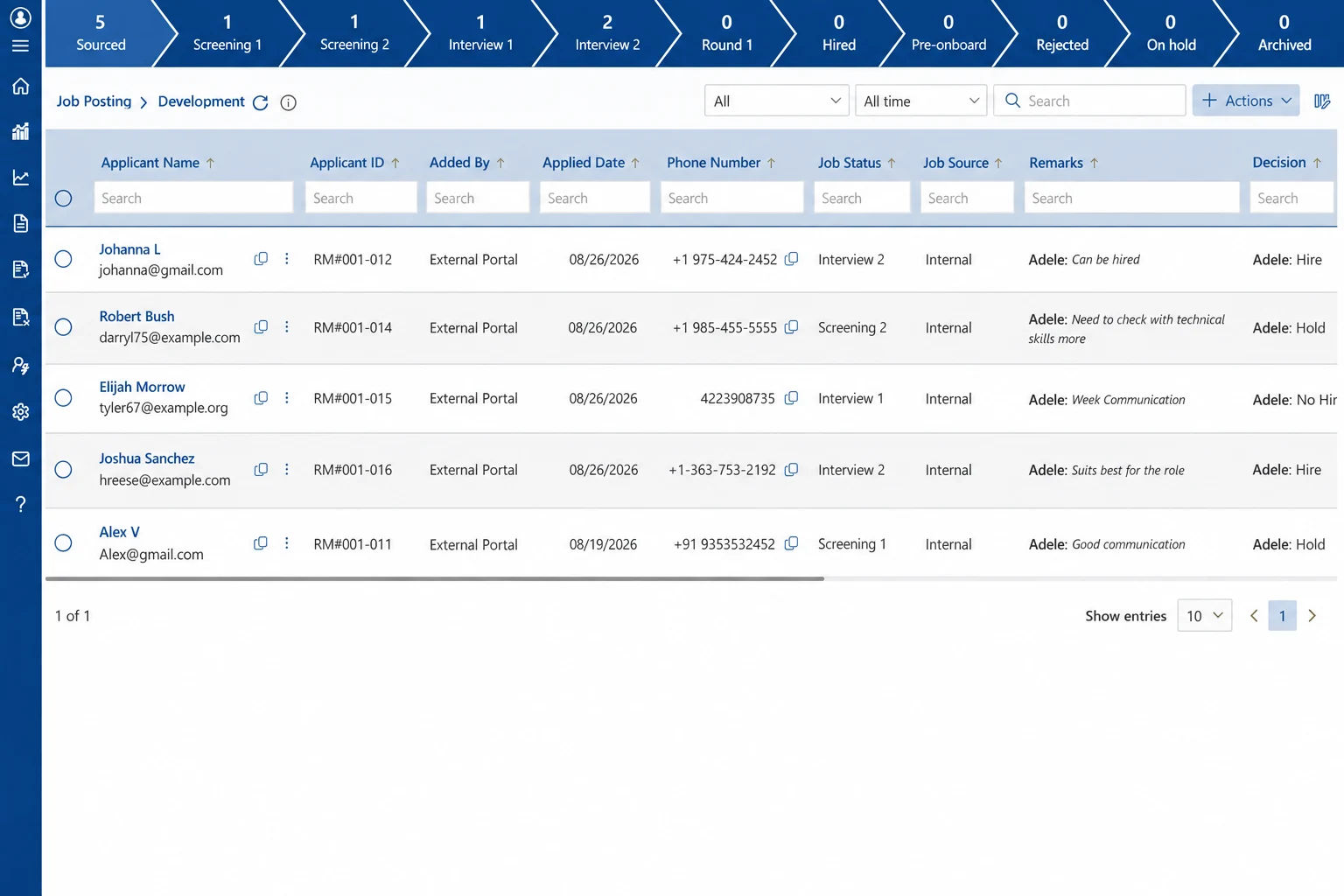
Keep every applicant organized from sourcing to final hiring with a clear recruitment pipeline and real-time candidate status.
Candidate Pipeline: Track applicants through screening, interviews, offers, and hiring.
Applicant Profiles: View candidate details, application dates, and current status.
Hiring Decisions: Record hire, hold, or reject decisions with recruiter feedback.
Stage Tracking: See exactly where each candidate stands in the hiring process.
Search & Filters: Quickly find applicants by status, date, source, or keyword.
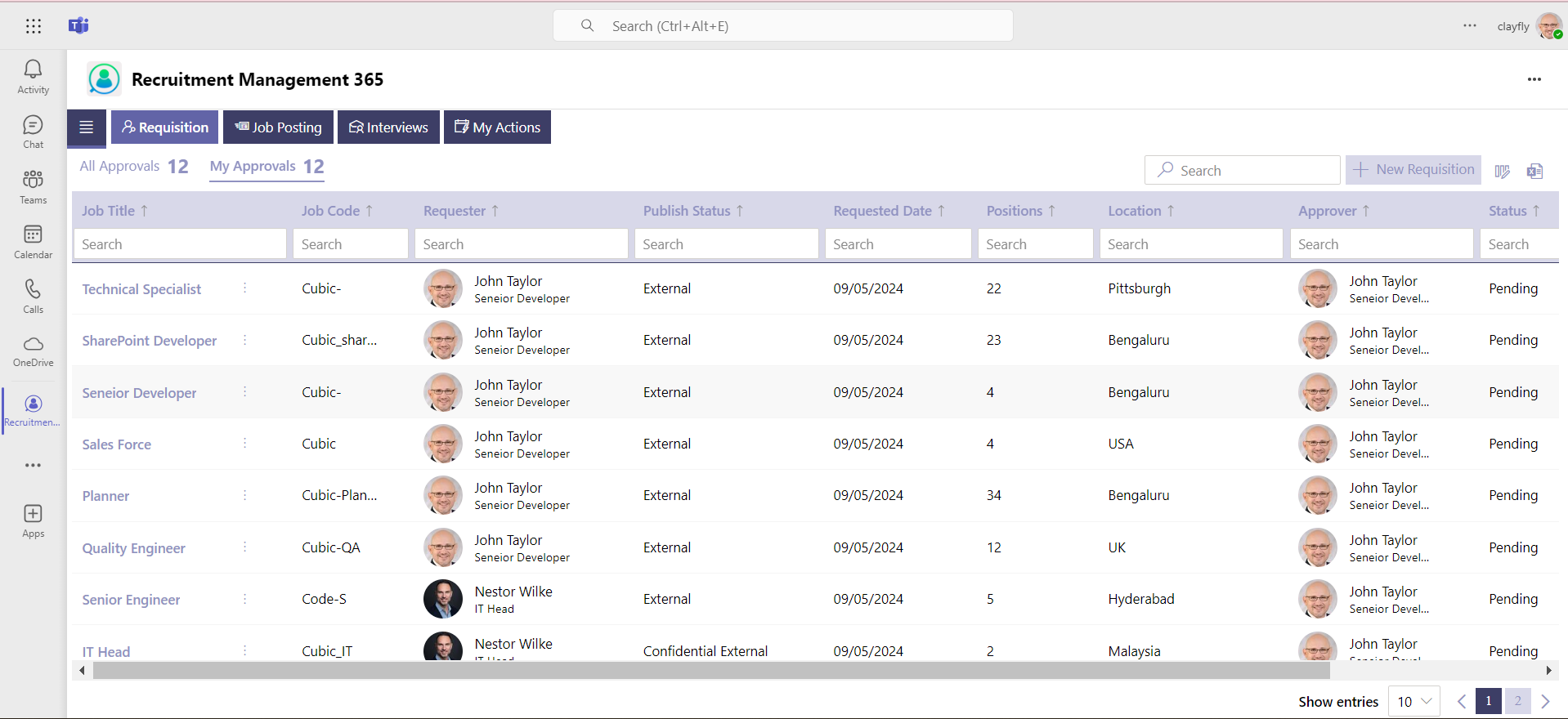
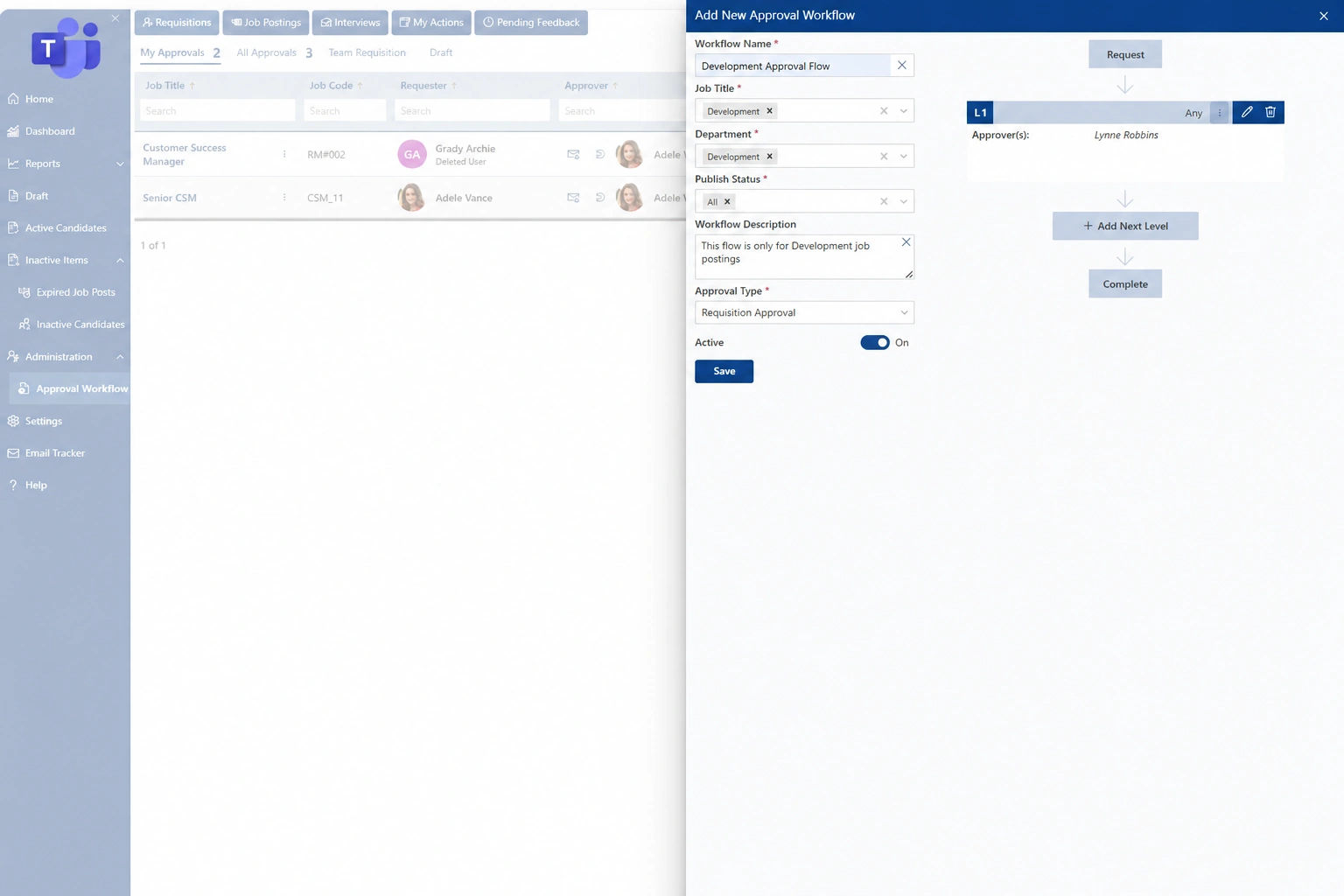
Create structured approval workflows for job requisitions and hiring requests, helping teams reduce delays and keep every approval step clear.
Custom Workflows: Create approval flows based on job roles and departments.
Multi-Level Approvals: Add multiple approval stages for complex hiring requirements.
Assigned Approvers: Route requests automatically to the right decision-makers.
Approval Tracking: Monitor pending, approved, and completed recruitment requests.
Flexible Setup: Configure workflow rules, status, and approval types easily.
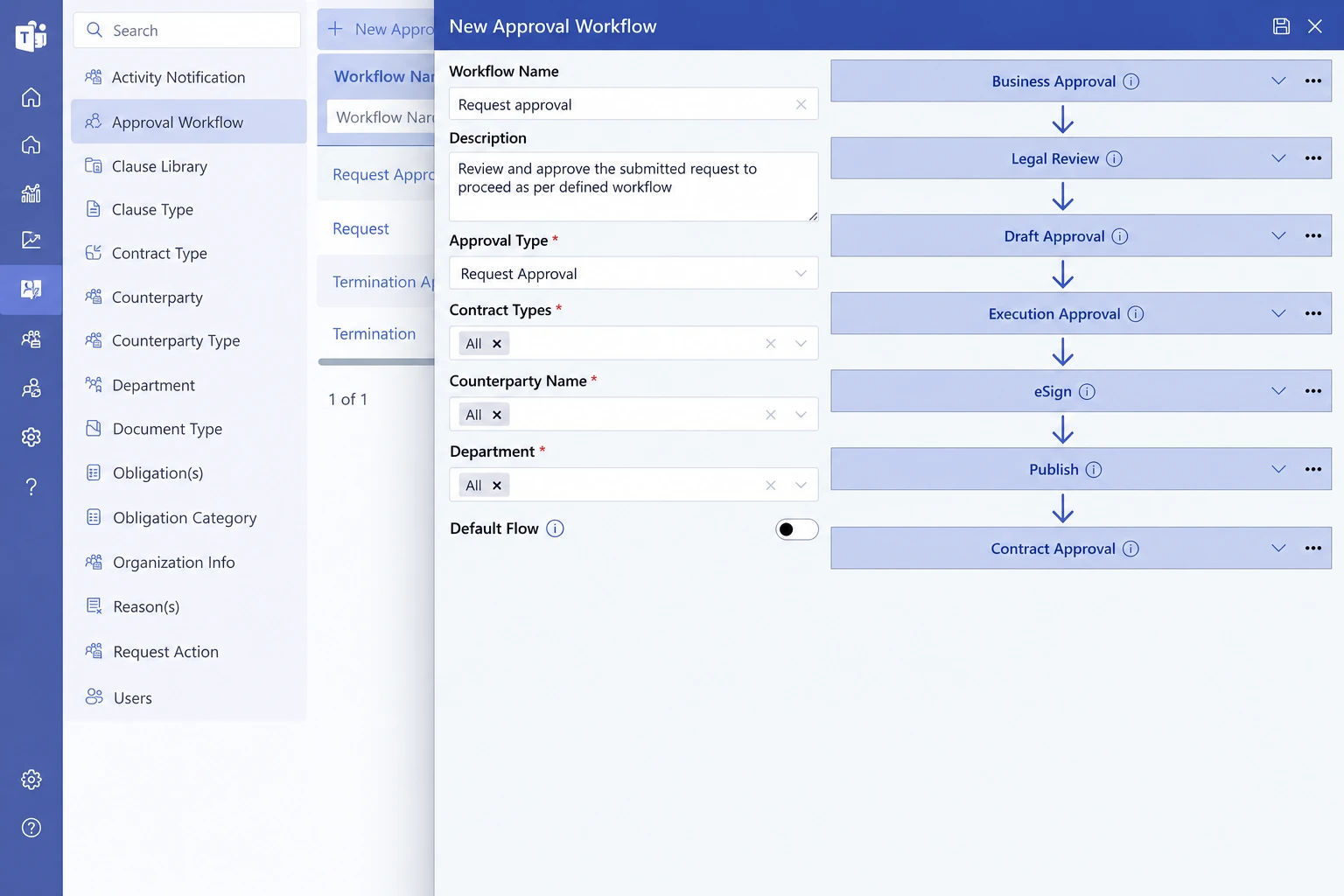
Build recruitment workflows that match your hiring process, from requisition approvals to interviews, evaluations, offers, and final hiring decisions.
Custom Hiring Stages: Create workflow steps based on your recruitment process.
Approval Routing: Send requests to the right approvers automatically.
Multi-Level Workflows: Add multiple review and approval stages when needed.
Automated Actions: Trigger notifications, status updates, and follow-up tasks.
Flexible Configuration: Adjust workflows by role, department, or hiring requirement.
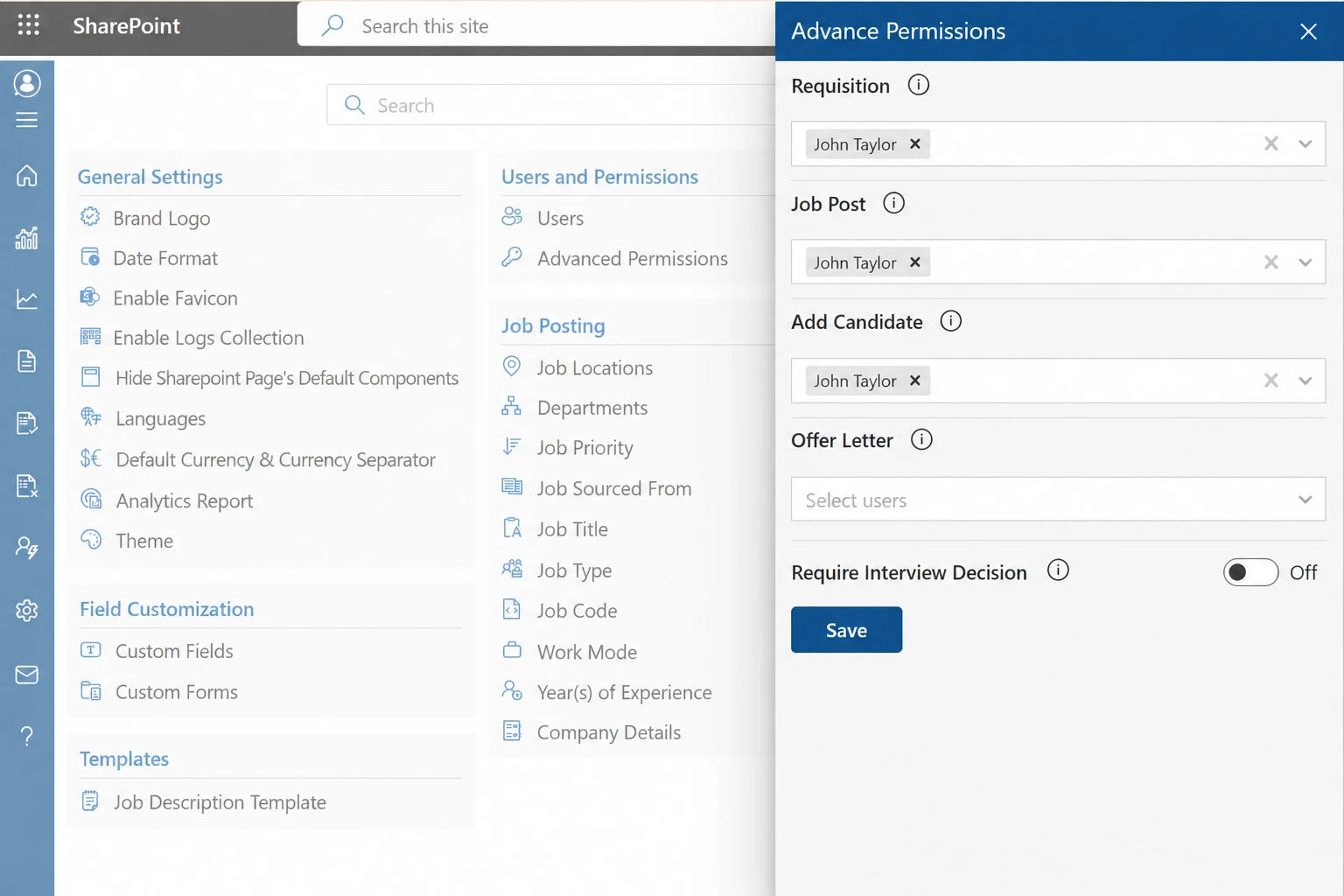
Protect sensitive candidates and recruitment data with advanced permissions, controlled access, and Microsoft 365 security.
Role-Based Access: Give users access based on their recruitment responsibilities.
Advanced Permissions: Control access to requisitions, job posts, candidates, and offer letters.
Secure Candidate Data: Protect sensitive applicant information throughout the hiring process.
Controlled User Actions: Define who can view, edit, approve, or manage recruitment activities.
Microsoft 365 Security: Manage recruitment data within your existing SharePoint and Microsoft environment.
per month, billed yearly
Standard Plan Features
per month, billed yearly
Everything in Standard and…
per user/ month, billed yearly
Lite user/ month, billed yearly
Everything in Plus, and…
per user/ month, billed yearly
Lite user/ month, billed yearly
Everything in Premium…
Using Azure? now you can buy on Azure Marketplace or using your enterprise agreement
*Includes one free customization (up to 4 hours, worth $400)
Managing shared resource and keeping track of their usage is a challenging job, with requests from employee, company spend on buying multiple resources and further there is no effective way to track and analyse the usage i.e. who is using the most, which time of the day most of the time it is used, when it is idle mostly. We have an ideal solution for this problem, SharePoint resource booking app. SharePoint resource booking app will provide you the booking feature for shared resources i.e. conference rooms, meeting rooms, projectors, cabs, guest house rooms, etc.

The recruiting process involves steps from identifying hiring needs and creating job descriptions to candidate screening, interviews, selection, and onboarding. It encompasses finding the right talent that aligns with the company’s goals and culture.
Involvement in the hiring process typically includes HR professionals, hiring managers, and relevant team members. HR professionals oversee the process, manage compliance, and ensure alignment with company policies. Hiring managers provide insights into role requirements and select the best candidates. Team members may join interviews or assessments to evaluate cultural fit or specific skills relevant to the role.
Recruiters oversee sourcing, screening, and interviewing candidates, coordinating the hiring process, managing communication, and facilitating the offer and onboarding stages to secure top talent for organizations
Rejecting a job applicant should be done promptly and respectfully, offering a clear and concise message, expressing gratitude for their interest, and leaving the door open for future opportunities.
To enhance your hiring process, focus on clear job descriptions, diverse sourcing, structured screening, collaborative interviews, transparent communication, data-driven decisions, prioritizing candidate experience, and continual process refinement.
# Includes one free customization (up to 4 hours, worth $400)
See how our solution can help your team
save time and cut costs.


By proceeding, you accept Cubic Logics Terms and Conditions and Privacy Policy
Enter your business email ID and we will send a personalized coupon code straight to your inbox.
By proceeding, you accept Cubic Logics Terms and Conditions and Privacy Policy